#cyberdefender-medium #endpoint-forensics #finished #reviewed
Scenario
A company’s security team detected unusual network activity linked to a potential malware infection. As a forensic analyst, your mission is to investigate a memory dump, identify the malicious process, extract artifacts, and uncover Command and Control (C2) communications. Using Volatility3, analyze the attack, trace its origin, and provide actionable intelligence.
Investigation
Finding Leads
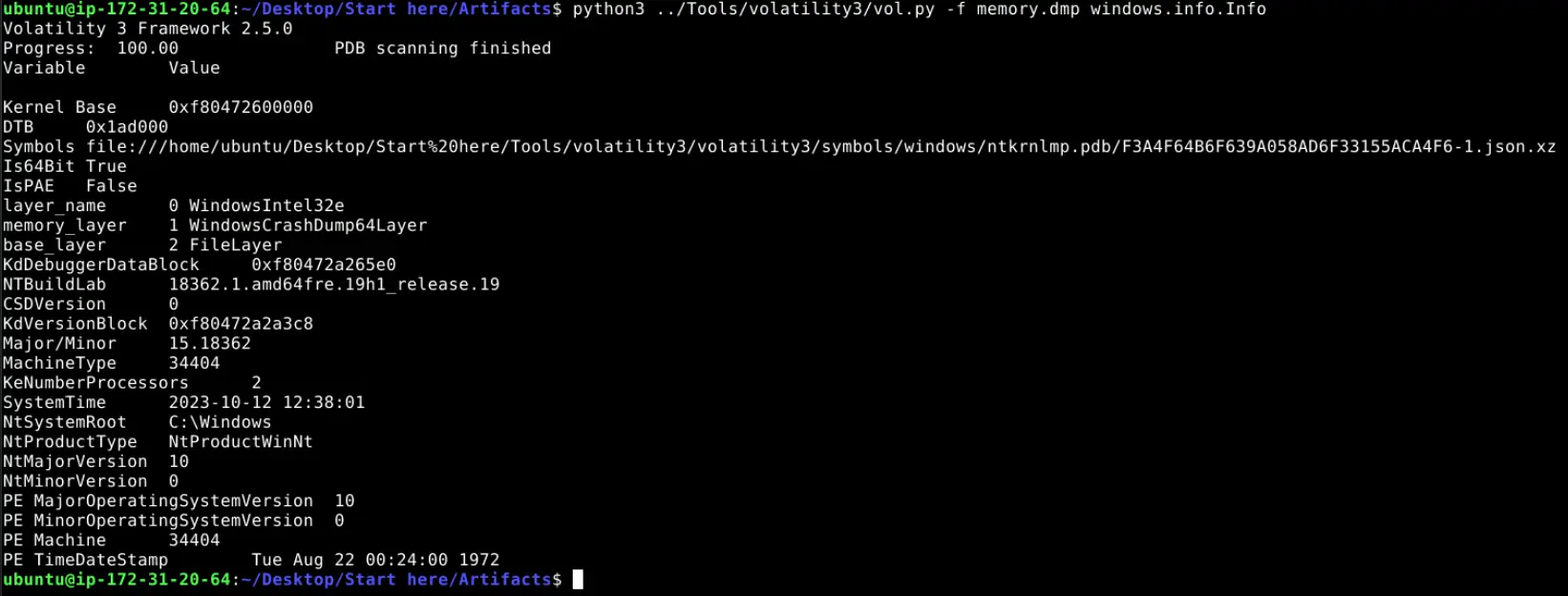
To get started on the investigation, let’s gather some basic information about the memory dump.
windows.info.Info output
The memory dump is of a system running Windows 10 and the captured system time was 2023-10-12 12:38:01.
Let’s look for some leads to chase.
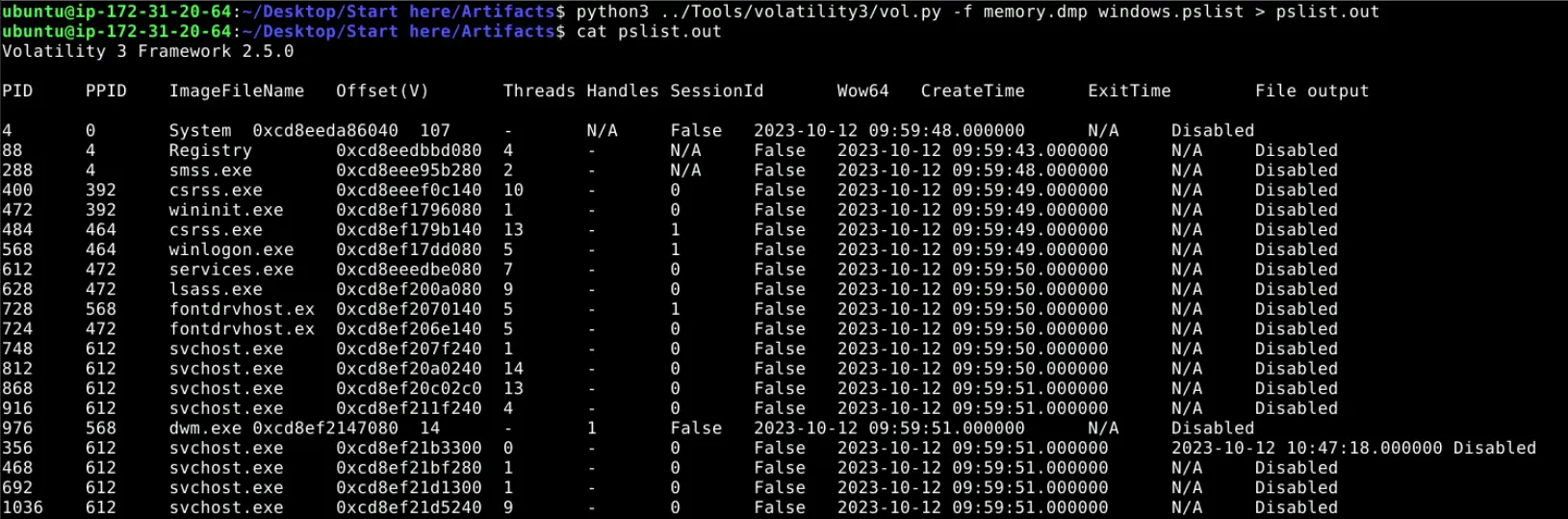
Running windows.pslist gets us the following,
Snippet of pslist output
The output of the command is directed to a file ,pslist.out, so we do not need to keep rerunning the command.
To get the low hanging fruit out of the way, let’s grep for cmd and powershell to see if any of these processes were captured.

grep result
No instances of cmd or powershell were captured in this memory dump.
A manual scan of the process list reveals a captured EXCEL.EXE process during the time of the suspicious activity.
This is of significance because threat actors very commonly utilise office documents (.docm, .xlsm, etc.) with embedded malicious scripts as their vector for initial access.
One of the most prolific examples of which is emotet.
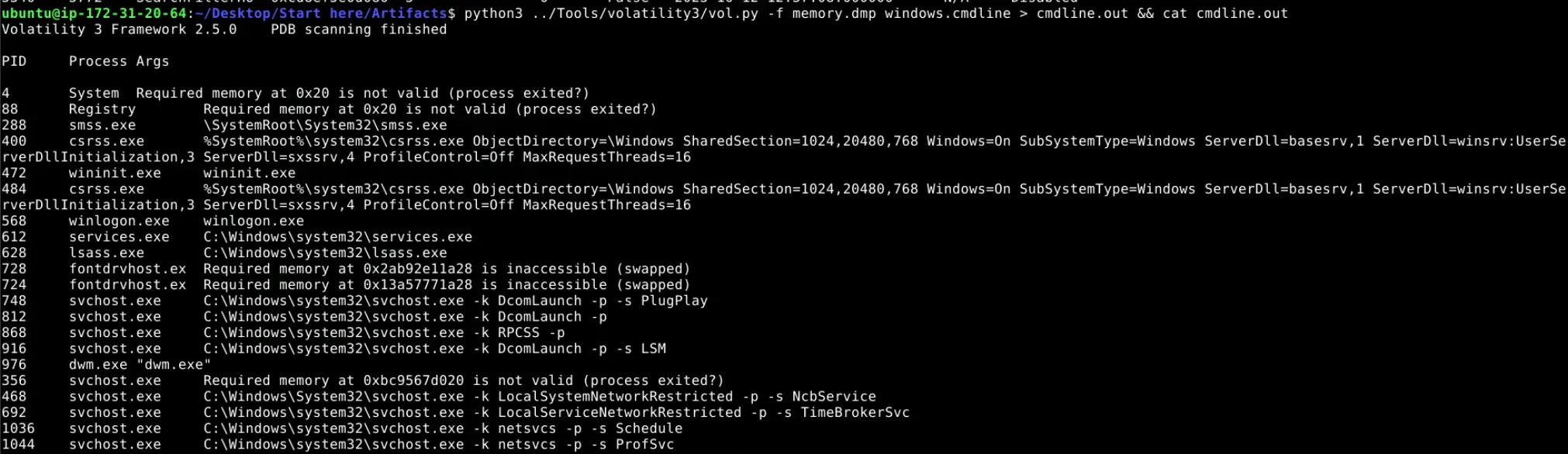
Running windows.cmdline gets us the following,
Snippet of cmdline output
cmdline can give us an idea of how a program was invoked.
Using grep to find excel.exe reveals that it was invoked with the argument /dde.

grep of excel
A Google search of what this argument is will tell us that /dde is a legacy command-line switch for Office applications that tells the app to launch as a DDE server.
This is odd because a normal user will rarely if ever find a legitimate use case for this mode in modern workflows especially since launching office applications in DDE server mode is actually disabled by default in patched recent versions of office apps.
Furthermore, Microsoft has made deliberate efforts to lock down launching office apps in DDE server mode to combat attackers using it as a means to spread malware as detailed here (Last updated 04/01/2026) .
This implies that the endpoint was likely either using an unpatched version of Microsoft Excel or had its security settings in Trust Center misconfigured or intentionally re-enabled to either support legacy workflows or allow for another niche use case.
Regardless, the fact that excel was invoked to launch with /dde is highly suspect and warrants further investigation.
Excel
The facts gathered about excel.exe such as how it was invoked with /dde and it was captured during the time of the suspicious activity has made it a strong lead.
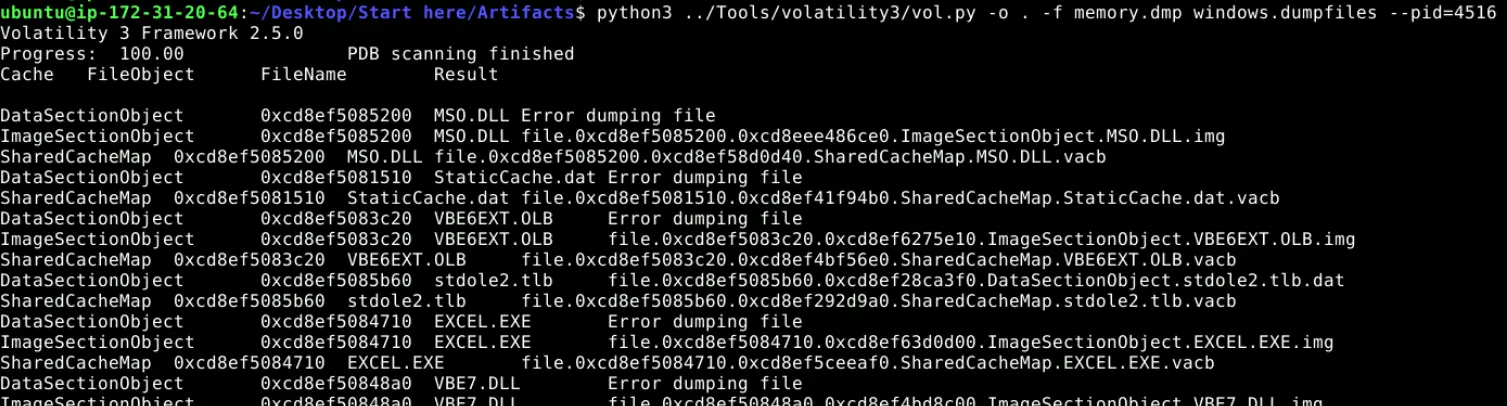
We can dump the files related to this process using the windows.dumpfiles plugin available in Volatility3.
The reason for doing this is to see if we can further our investigation by checking if the process has any open handles to any files at the time of capture that could possibly be malicious.
Running windows.dumpfiles
After the plugin is done running, check the dumped files if any of them have an excel file extension.

Checking for excel files
From the output, excel had an open file handle to Payment.xls.
Checking the location of this file on disk through the provided windows.filescan.txt artifact shows that this file was opened from the \Users\PC-28\Downloads.

Finding location of this file on disk
Let’s retrieve the checksum of this file and use OSINT to check if there are any reports on this file.

Checksum of Payment.xls
Submitting this hash to VirusTotal tells us that this file was flagged by 37 out of 62 security vendors as malicious.
Most of which are labelling it as a downloader trojan.
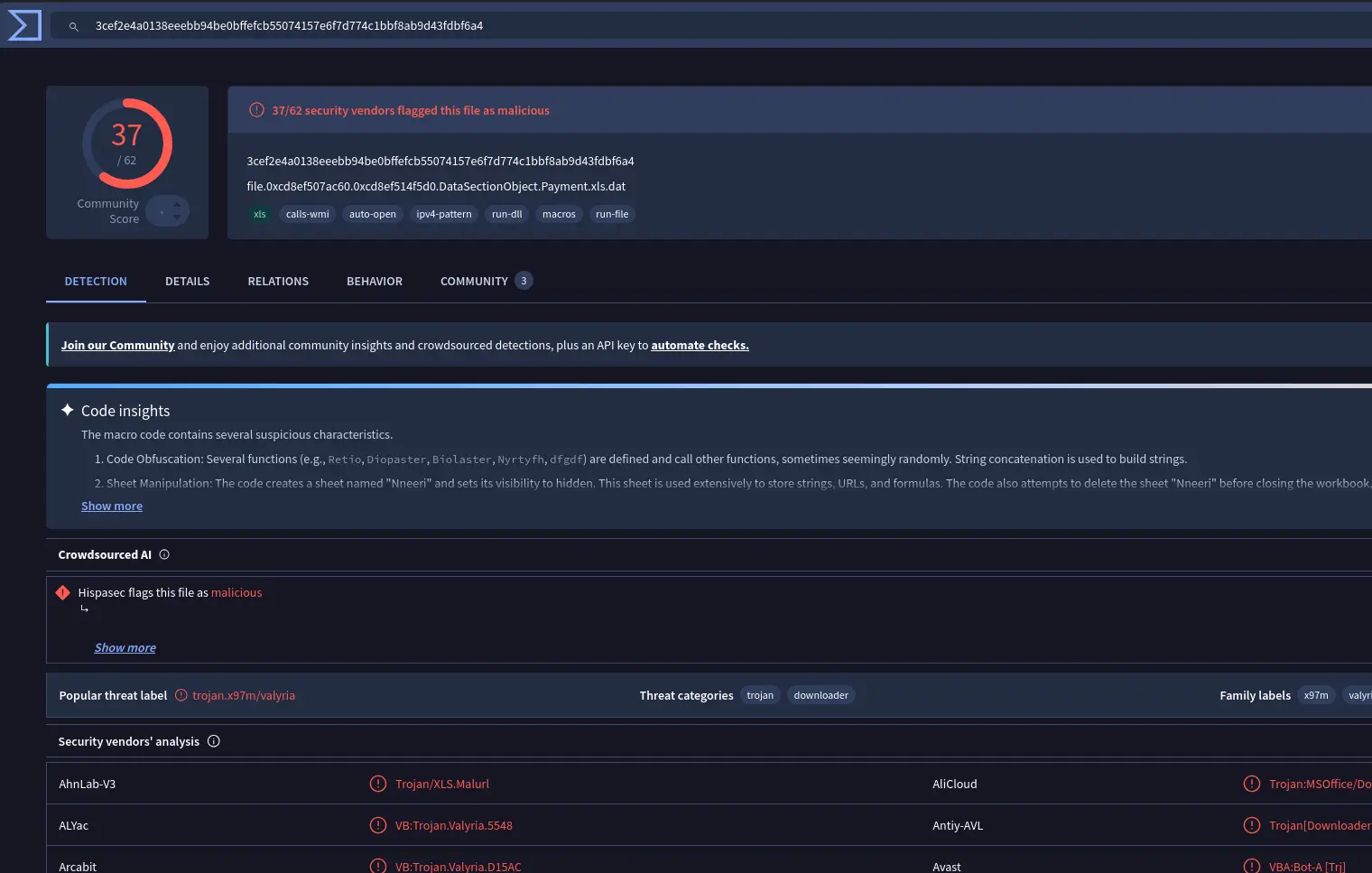
VirusTotal report
Going under the Behaviour tab we will also see that it matches rule MALWARE-CNC Win.Trojan.IcedID download attempt.
IcedID is a modular banking malware and is known to be downloaded by emotet in multiple campaigns (Source) .
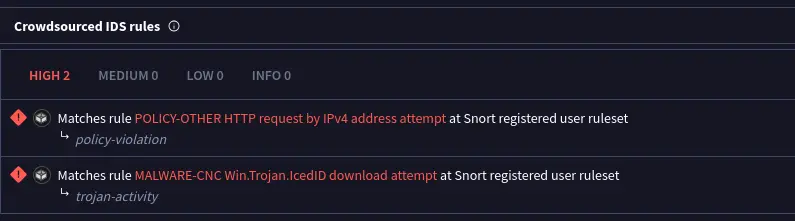
Rule matching
Under Network Communication > IP Traffic is a list of IPs that the malware contacts as well as the port used.
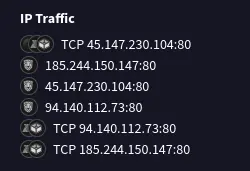
List of IPs
The next logical step is then to check if the captured memory dump has made any connections to these known malicious IPs.
Network Activity
The connections we are looking for are connections made to the following IP:PORT,
94.140.112.73:8045.147.230.104:80185.244.150.147:80
The provided artifacts include a windows.netscan.txt.
A grep of the netscan file shows that the end point has connected to 2 of the 3 known malicious IPs.

grep of netscan file
Summary of findings
The analysis of the memory dump reveals a malware infection initiated through a malicious excel document.
The initial lead was the excel process that was invoked with /dde, which is a legacy switch for launching the application in DDE server mode.
This switch is rarely if ever used in modern workflows and is disabled by default on recent patched versions of office apps.
The invocation of an excel process with this switch should be treated as an anomaly and is commonly associated with techniques for initial access by threat actors rather than legitimate use.
Dumping files associated with the suspect excel process yields a legacy excel file, Payment.xls, which has SHA256 checksum of 3cef2e4a0138eeebb94be0bffefcb55074157e6f7d774c1bbf8ab9d43fdbf6a4.
The file was located in \Users\PC-28\Downloads.
Submission of this file hash to VirusTotal alerts that this file was flagged by 37 out of 62 vendors as malicious with detections categorizing it as a downloader trojan.
Attempts to communicate to known C2 infrastructure was captured and is validated through the analysis of the memory dump’s network artifacts.
The infected endpoint tried to connect to 2 out of the 3 malicious IPs listed in the behavioural analysis available on VirusTotal.
Note
In the investigation, the behaviour analysis on VirusTotal shows that crowd sourced IDS rules fire an alert on rule MALWARE-CNC Win.Trojan.IcedID download attempt.
IcedID is a modular banking malware that is downloaded by emotet and one of the listed campaigns on the MITRE ATT&CK is campaign C0037 named Water Curupira Pikabot Distribution (Source).
Clicking into this campaign reveals that this activity followed the take-down of QakBot (alias QBot) with the campaign details noting several technical overlaps and similarities.
The technical overlaps and similarities are likely why there was a rule match for this sample attributing it to IcedID despite the challenge itself being named QBot.
Questions
Q1 — First IP address
Our first step is identifying the initial point of contact the malware made with an external server. Can you specify the first IP address the malware attempted to communicate with?
Answer: 94.140.112.73
Q2 — Second IP address
We need to determine if the malware attempted to communicate with another IP. Which IP address did the malware attempt to communicate with again?
Answer: 45.147.230.104
Q3 — Process Name
Identifying the process responsible for this suspicious behavior helps reconstruct the sequence of events leading to the execution of the malware and its source. What is the name of the process that initiated the malware?
Answer: excel.exe
Q4 — Malicious File
The malware’s file name is crucial for further forensic analysis and extracting the malware. Can you provide its file name?
Answer: Payment.xls
Q5 — File Hash
Hashes are like digital fingerprints for files. Once the hash is known, it can be used to scan other systems within the network to identify if the same malicious file exists elsewhere. What is the SHA256 hash of the malware?
Answer: 3cef2e4a0138eeebb94be0bffefcb55074157e6f7d774c1bbf8ab9d43fdbf6a4
Q6 — UTC Creation Time
To trace the origin of the malware and understand its development timeline, can you provide the UTC creation time of the malware file?
This is trivially answered using the VirusTotal report by navigating to Details, which shows the following,
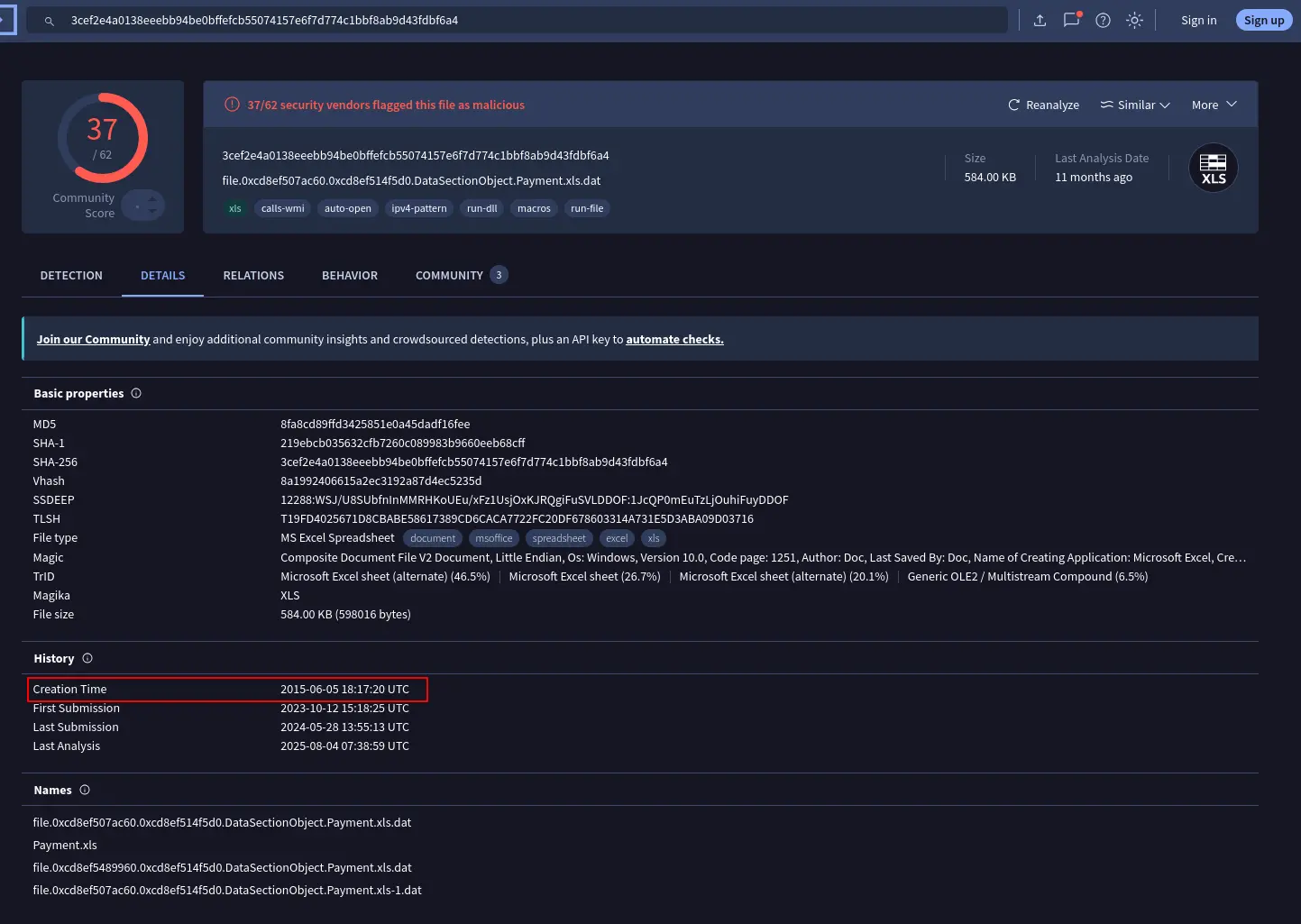
Creation Time
Answer: 2015-06-05 18:17
Completion
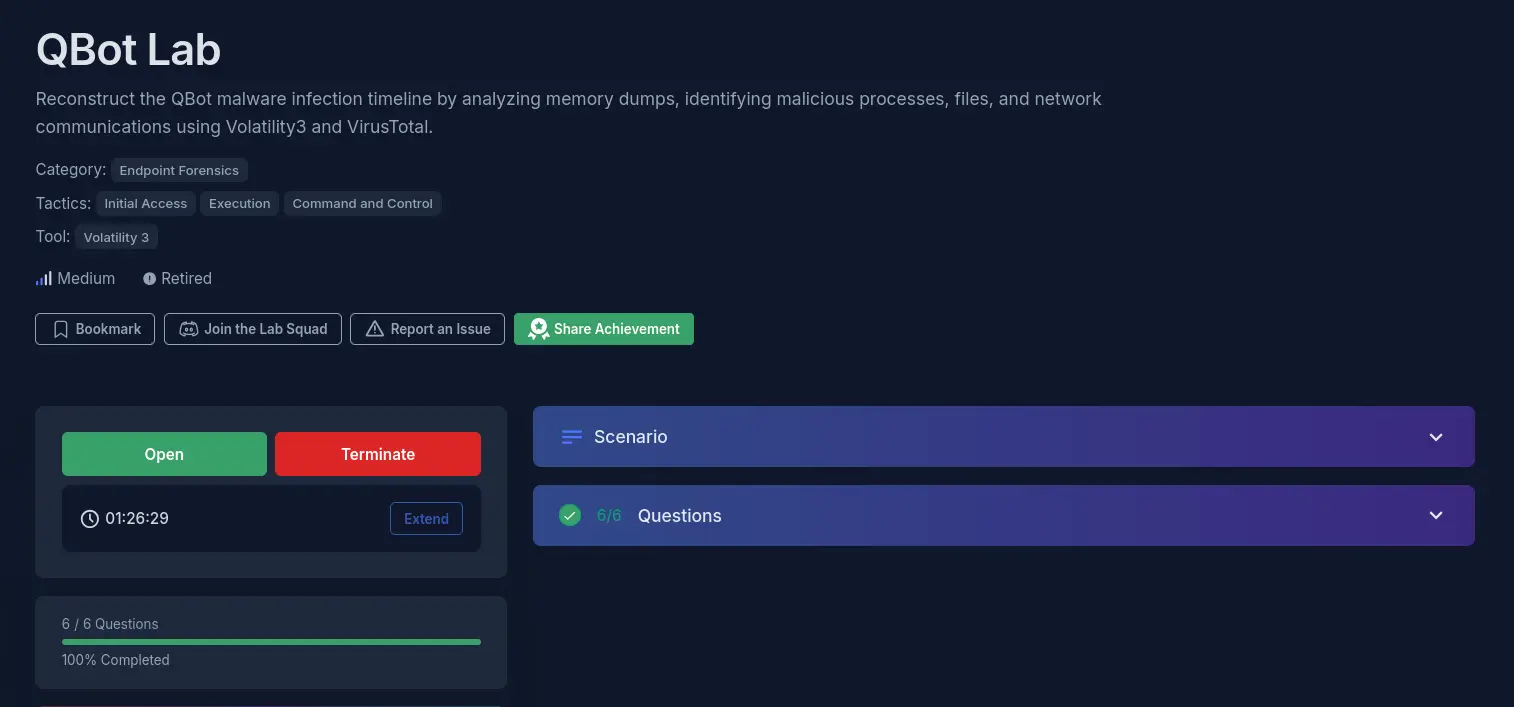
I successfully completed QBot Blue Team Lab at @CyberDefenders! https://cyberdefenders.org/blueteam-ctf-challenges/achievements/francisvil3213/qbot/
#CyberDefenders #CyberSecurity #BlueYard #BlueTeam #InfoSec #SOC #SOCAnalyst #DFIR #CCD #CyberDefender