#volatility3 #endpoint-forensics #cyberdefender-easy #finished #reviewed
Scenario
On May 2, 2024, a multinational corporation identified suspicious PowerShell processes on critical systems, indicating a potential malware infiltration. This activity poses a threat to sensitive data and operational integrity.
You have been provided with a memory dump (memory.dmp) from the affected system. Your task is to analyze the dump to trace the malware’s actions, uncover its evasion techniques, and understand its persistence mechanisms.
Questions
Q1 — Suspicious Parent Process
Identifying the parent process reveals the source and potential additional malicious activity. What is the name of the suspicious process that spawned two malicious PowerShell processes?
One thing I like to do first for memory forensics is just quickly check the cmdline.
More often than not, this yields some fast and quick wins.
`~/Desktop/Start\ here/Tools/volatility3-develop/vol.py -f ./memory.dmp windows.cmdline

Tail end of the output of the command
If we look near the bottom, we will see two very suspicious invocations of powershell.exe.
These two lines are adding a microsoft defender exclusion for two executables which are
C:\Users\Lee\AppData\Local\Temp\InvoiceCheckList.exeC:\Users\Lee\AppData\Roaming\HcdmIYYf.exe
These executables are suspect and we should investigate them.
There is a file named windows.psscan_out.txt in the Artifacts folder let’s try looking through that first.
Let’s run a grep on powershell to see which process spawned it.

output of grep command
Looks like a process with PID 4596 spawned it or invoked it.
Let’s grep for 4596 and see what we find.

output of grep 4596
The process that spawned it is InvoiceCheckLi which likely corresponds to C:\Users\Lee\AppData\Local\Temp\InvoiceCheckList.exe.
Answer:InvoiceCheckList.exe
Q2 — Executable responsible for persistence
By determining which executable is utilized by the malware to ensure its persistence, we can strategize for the eradication phase. Which executable is responsible for the malware’s persistence?
In the output of our grep of 4596 in the last question, we can see that it also spawned schtasks.exe.
This is an executable concerned with scheduling tasks on the window’s machine.
It is commonly used for establishing persistence.
Answer:schtasks.exe
Q3 — Other active suspicious process
Understanding child processes reveals potential malicious behavior in incidents. Aside from the PowerShell processes, what other active suspicious process, originating from the same parent process, is identified?
Similarly, in the output of our grep of 4596.
We can see that InvoiceCheckList.exe also spawned RegSvcs.exe.
Answer:RegSvcs.exe
Q4 — Powershell cmdlet used by malware
Analyzing malicious process parameters uncovers intentions like defense evasion for hidden, stealthy malware. What PowerShell cmdlet used by the malware for defense evasion?
We already identified this on our cmdline output and the answer is Add-MpPreference.

cmdline output
Answer:Add-MpPreference
Q5 — Two malicious applications
Recognizing detection-evasive executables is crucial for monitoring their harmful and malicious system activities. Which two applications were excluded by the malware from the previously altered application’s settings?
The two excluded malware can be seen from the same output in the last question.
Powershell was invoked twice to add the exclusions for InvoiceCheckList.exe and HcdmIYYf.exe.
Answer:InvoiceCheckList.exe,HcdmIYYf.exe
Q6 — Mapping to Mitre
What is the specific MITRE sub-technique ID associated with PowerShell commands that aim to disable or modify antivirus settings to evade detection during incident analysis?
The techniques used here is to effectively disable microsoft defender for these malware.
A google search will land us on this page Impair Defenses: Disable or Modify Tools, Sub-technique T1562.001 - Enterprise | MITRE ATT&CK®.
Therefore, our answer is T1562.001
Answer:T1562.001
Q7 — Account linked to malicious process
Determining the user account offers valuable information about its privileges, whether it is domain-based or local, and its potential involvement in malicious activities. Which user account is linked to the malicious processes?
We know the paths of the malicious executables are
C:\Users\Lee\AppData\Local\Temp\InvoiceCheckList.exeC:\Users\Lee\AppData\Roaming\HcdmIYYf.exe
Therefore, we can reasonably conclude that the user account linked to these processes is Lee.
Answer:Lee
Completion
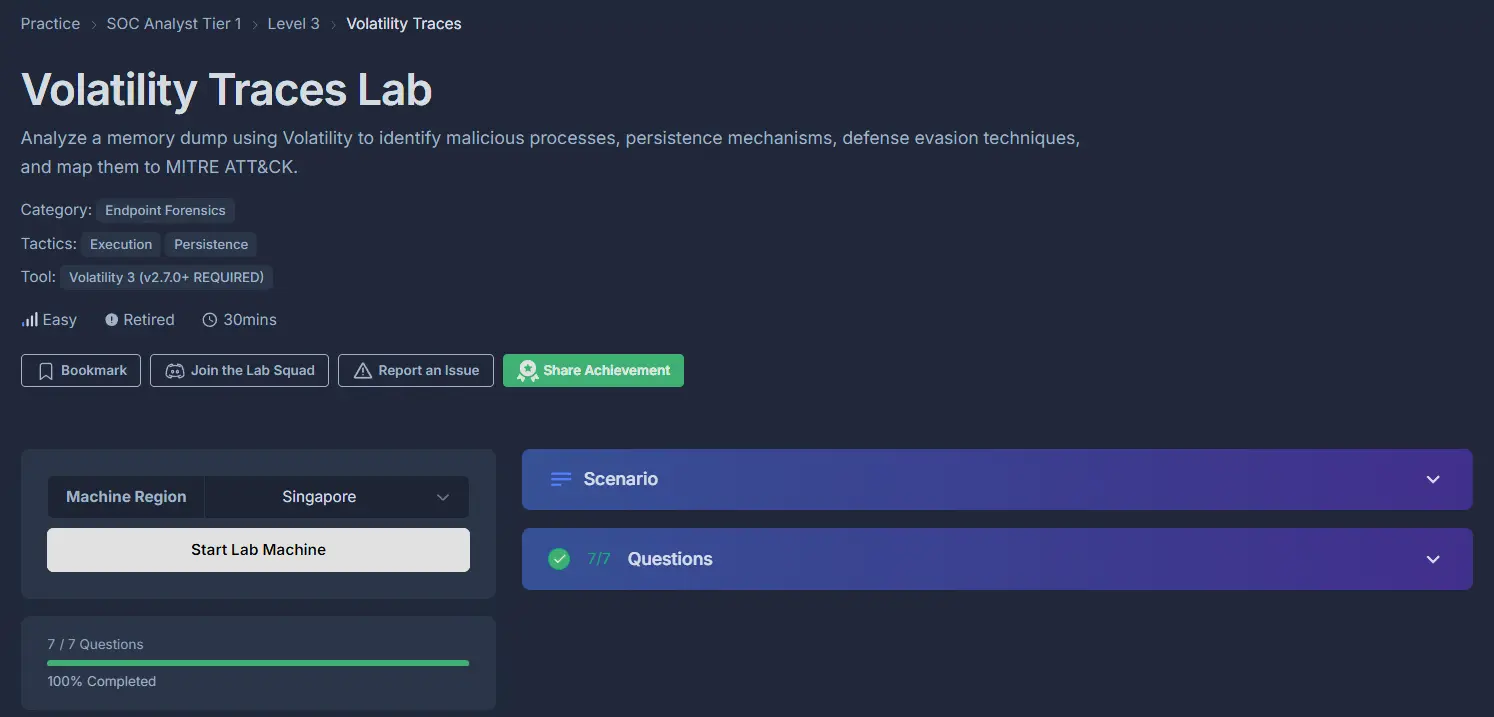
I successfully completed Volatility Traces Blue Team Lab at @CyberDefenders! https://cyberdefenders.org/blueteam-ctf-challenges/achievements/francisvil3213/volatility-traces/
#CyberDefenders #CyberSecurity #BlueYard #BlueTeam #InfoSec #SOC #SOCAnalyst #DFIR #CCD #CyberDefender